
1.1. Telephone overview


Gigaset N510 IP PRO
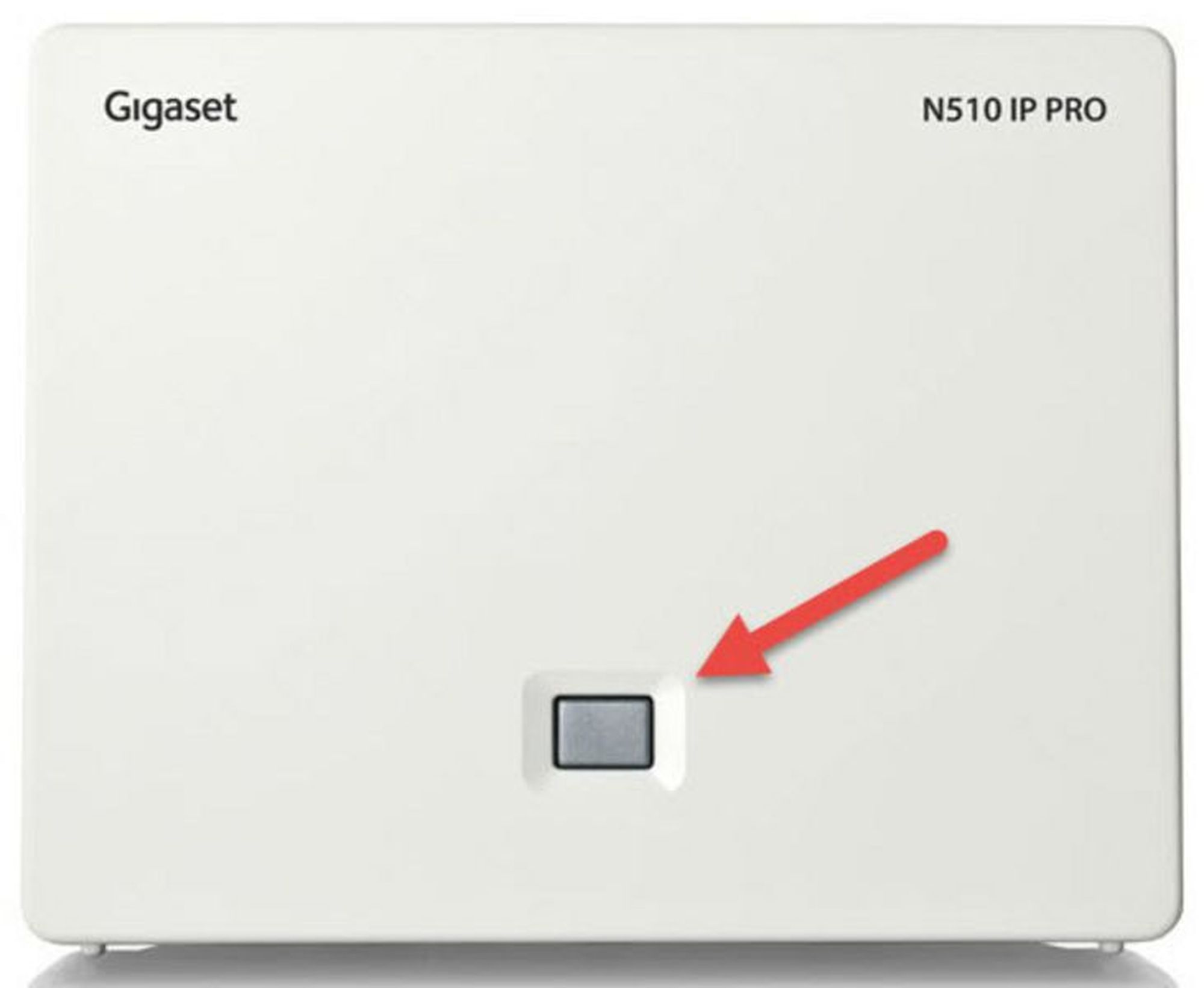
| Key | Key function |
| 1 | Registration / paging key |
| Action | Functions of the registration / paging key of the base station |
| Lights up | LAN connection active (phone is connected to router) |
| Flashes | Data transfer to LAN connection or base in registration mode |
| Press briefly | Launch paging (handset search), display IP address of the base Press and hold |
| Press and hold (ca. 5 seconds) | Set base to registration mode. LED flashes at one-second intervals. |
DECT handset Gigaset S650H
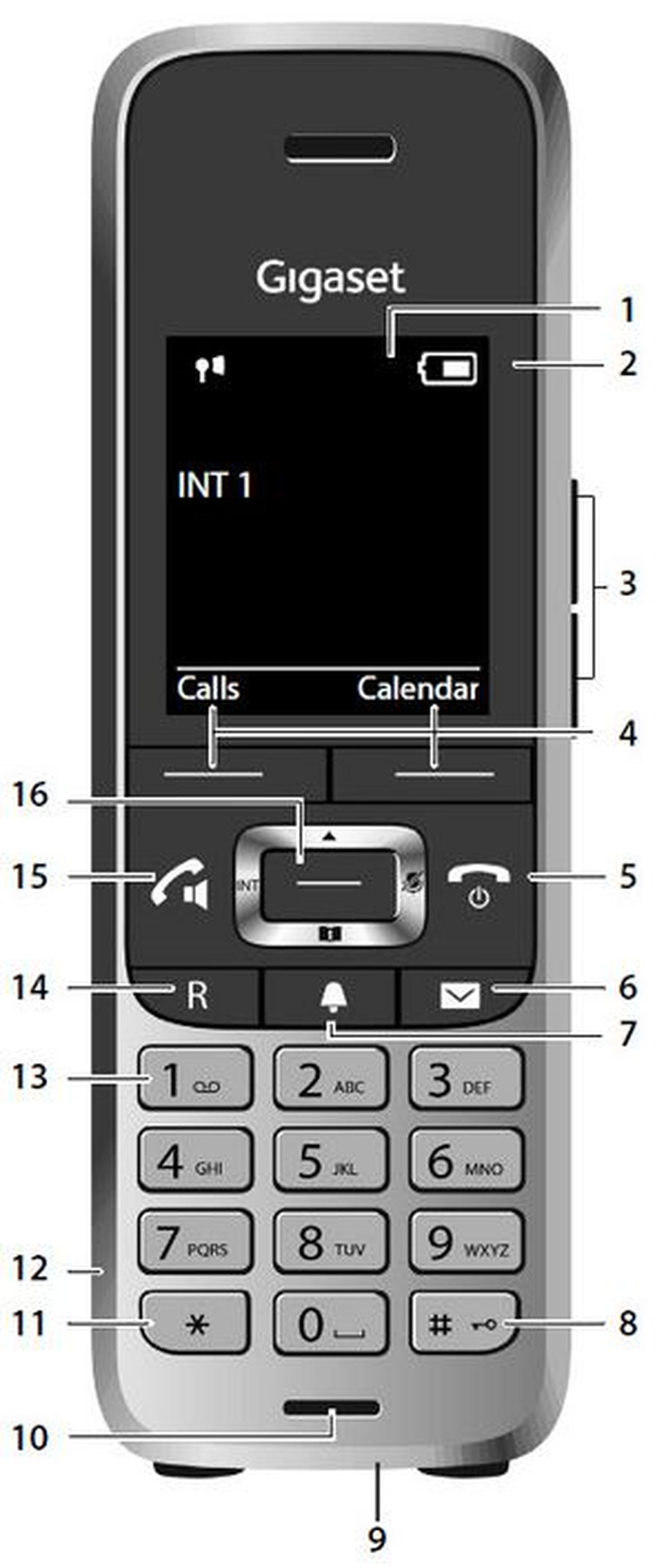
| Key | Key function |
| 1 | Display |
| 2 | Status bar |
| 3 | Volume keys |
| 4 | Display keys |
| 5 | End call key, on / off key |
| 6 | Message key |
| 7 | Profile key |
| 8 | Hash key (keypad lock) |
| 9 | USB connection socket |
| 10 | Microphone |
| 11 | Star key |
| 12 | Headset connection |
| 13 | Key 1, can be assigned with the voicemail function |
| 14 | R-key (e.g. consultation and connect) |
| 15 | Talk key / handsfree key |
| 16 | Control key / menu key |
Other handsets function similarly to the DECT handset Gigaset S650H.
For detailed information, please refer to the manufacturer's operating manual.
 .
 or
 .
 or return the mobile handset to the charger.
 .
 .
 when the device is ringing.
 .
 button.
 .
 .
 you can now switch between the two calls.
 .
 .
 on the mobile handset to access the voice menu of the voicemail system.